
Setting up Redis caching in Next.js
How to initialize Upstash Redis, set up a Next.js API route to cache slow IPFS requests, and build a resilient fallback handler.
When I first attempted to implement the caching proxy in Next.js, I imported the standard TCP redis package, configured my connection pool, and deployed it to Vercel.
Within 30 minutes, our console was flooded with connection timeout errors.
In a serverless environment (like Next.js API routes running on Vercel), each request spins up an isolated, ephemeral function. If you use a traditional TCP connection client, every execution container attempts to open and maintain its own connection pool to the Redis database. Under load, you quickly hit your database's connection limit and crash the server.
To avoid this, modern serverless Web3 apps use HTTP-based Redis clients like Upstash Redis (@upstash/redis). It executes queries over HTTP REST requests, which are stateless, pool-free, and perfectly designed for serverless environments.
Let's implement a production-grade IPFS cache route inside Next.js using Upstash Redis.
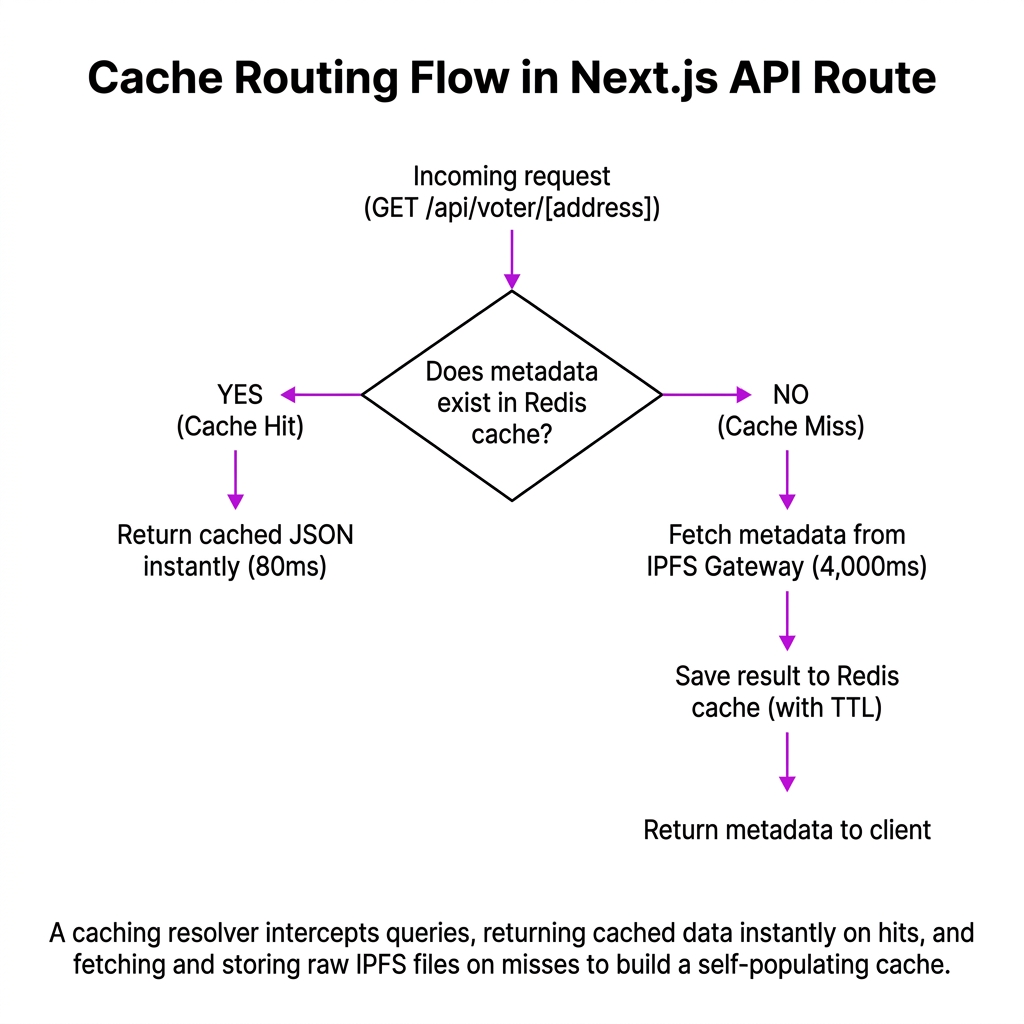
1. Installation and Credentials Setup
First, install the Upstash Redis SDK:
Next, add your credentials to your .env.local file. You can spin up a free Redis database in seconds on Upstash.
2. Initializing the Client
Create a utility file to export a single, reusable Redis client instance:
3. Building the Caching API Route
Now, let's create a Next.js API Route (using Next.js App Router) that acts as a proxy for fetching IPFS metadata:
The Silent Fallback Mistake: When I first added caching, a Redis connection error threw an unhandled exception, causing our entire IPFS proxy API route to return a 500 status code. The frontend couldn't load any voter profile images because the cache server had a brief network hiccup. Always wrap your Redis operations in an independent try-catch block! A cache is an optimization, not a hard requirement. If the cache is down, fall back directly to IPFS.
Notice that our route returns an x-cache response header (with values "HIT" or "MISS"). Open your browser dev tools, inspect the network panel, and make multiple requests to your newly created API endpoint. Verify that the first request shows x-cache: MISS (and takes > 1 second), and subsequent requests return x-cache: HIT in under 50ms.
Was this lesson helpful?
Let us know what you think of this specification. (submitting anonymously)